Demand planning
120+
hours of manual work saved every month
More than three 40 hour work weeks
DevToDollars helped a non technical Toronto company put AI to work: agents where they fit, plain code where they did not, and clear limits on what the AI can reach.
120+ hours
of manual work saved every month in demand planning
4 to 2
customer service staff for the same workload
Real time
project status for management
The results
Demand planning
120+
hours of manual work saved every month
More than three 40 hour work weeks
Customer service
From 4 to 2
staff for the same workload
Management
Real time
project status, straight from the project tool
Status slides built automatically
What DevToDollars did

The starting point
AI meant Copilot, used only as an assistant, never as an agent that carries a task through the company's own systems.
Thousands of exported rows, worked through by hand in Excel, led to inaccurate results.
Each department had its own processes, data sources and tools.
Project stages in the tool were out of date, and the PMO, the team that tracks projects, built status slides by hand, from memory. Management could not see which projects were late, how late, or why.
Photo: Scott Graham on Unsplash
Nearly
9 in 10
use AI regularly somewhere in the business
Only
22%
of companies under $1 billion in revenue say they are scaling AI agents
Source: McKinsey, The state of AI in 2026, August 2026.
At least
86%
of the spreadsheets checked in field audits had errors
Source: Raymond Panko, Spreadsheet Errors: What We Know. What We Think We Can Do, EuSpRIG, 2000.
Discovery and assessment
Leadership had measured the broken workflows but had no one to fix them. The DevToDollars team started by asking each department's leaders and senior managers the same four questions.
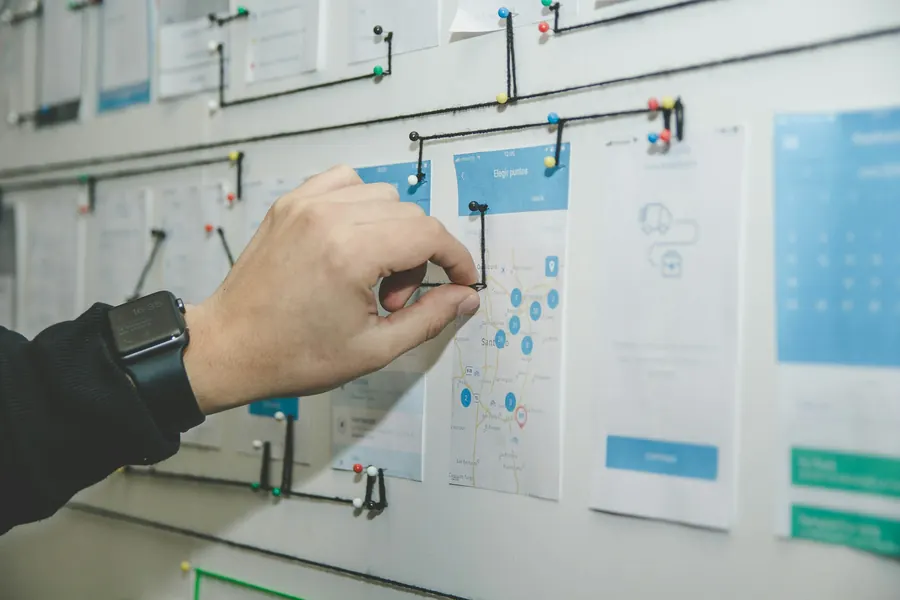 The same four questions, every department
Which departments share data with each other?
What is the longest workflow each department needs solved?
Which third party tools does each project rely on?
How does each department do its work today, in detail?
Fix first
Data sources that disagreed had to be fixed before any AI went in.
Get ready
Each department had cultural needs to settle before a rollout.
Start here
The work would start where the impact would be highest.
Gartner predicts
60%
of AI projects without data ready for AI will be abandoned through 2026
Source: Gartner press release, February 2025.
The solution
For each department's longest workflow, DevToDollars proposed a design that fit the problem: AI agents for the PMO and marketing, plain code for demand planning.
PMO reportingAI agent
Status slides are no longer built by hand, from memory. Every major project now gets one straight from the project tool.
Project tool
Where every project's stages live
AI agent
Builds the report with ICM
Status slide
One of two templates, in the brand's colours
Management
Sees every major project, in real time
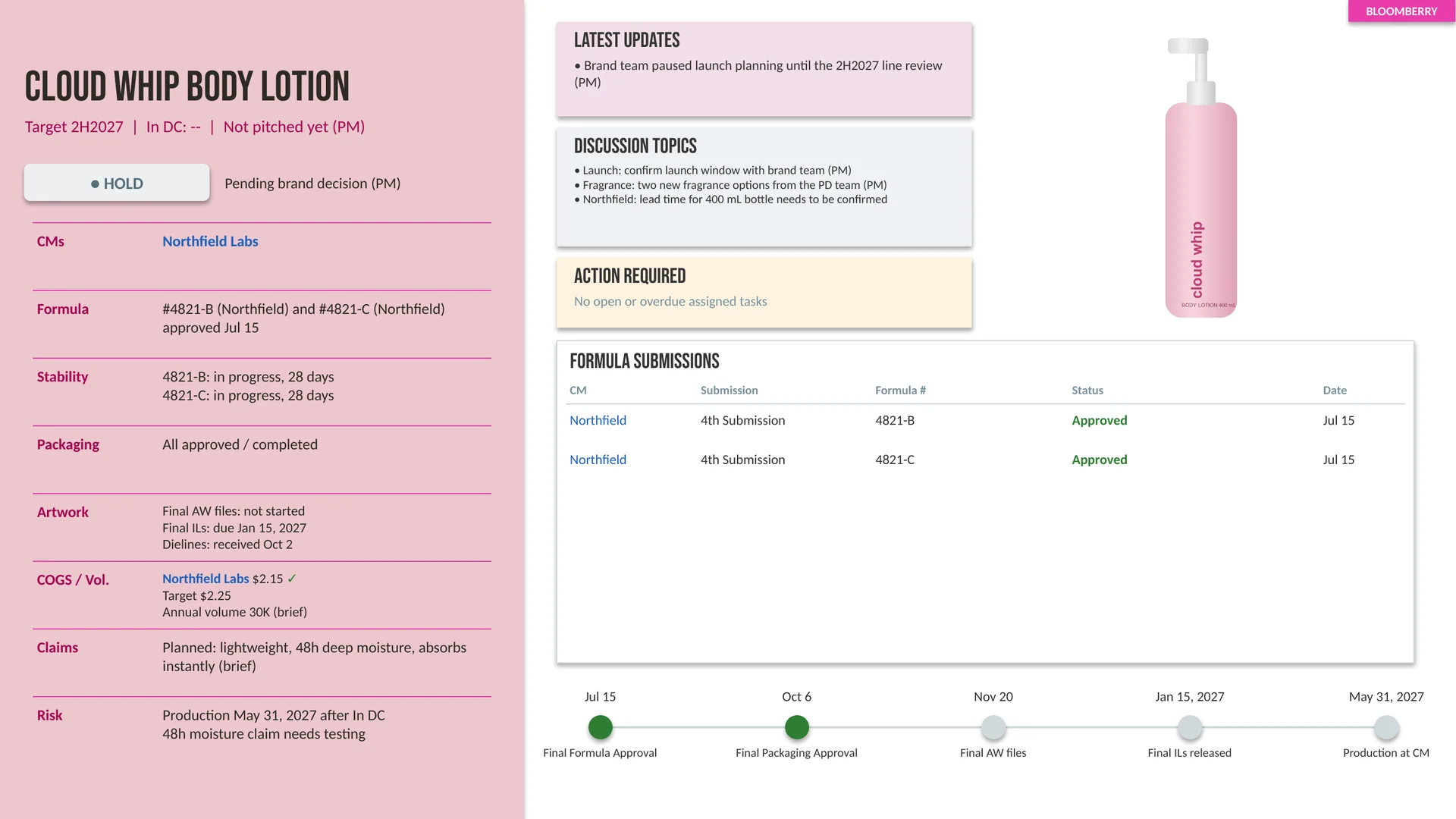
In development. On hold while the brand team decides. Formula submissions on the right, milestones along the bottom.
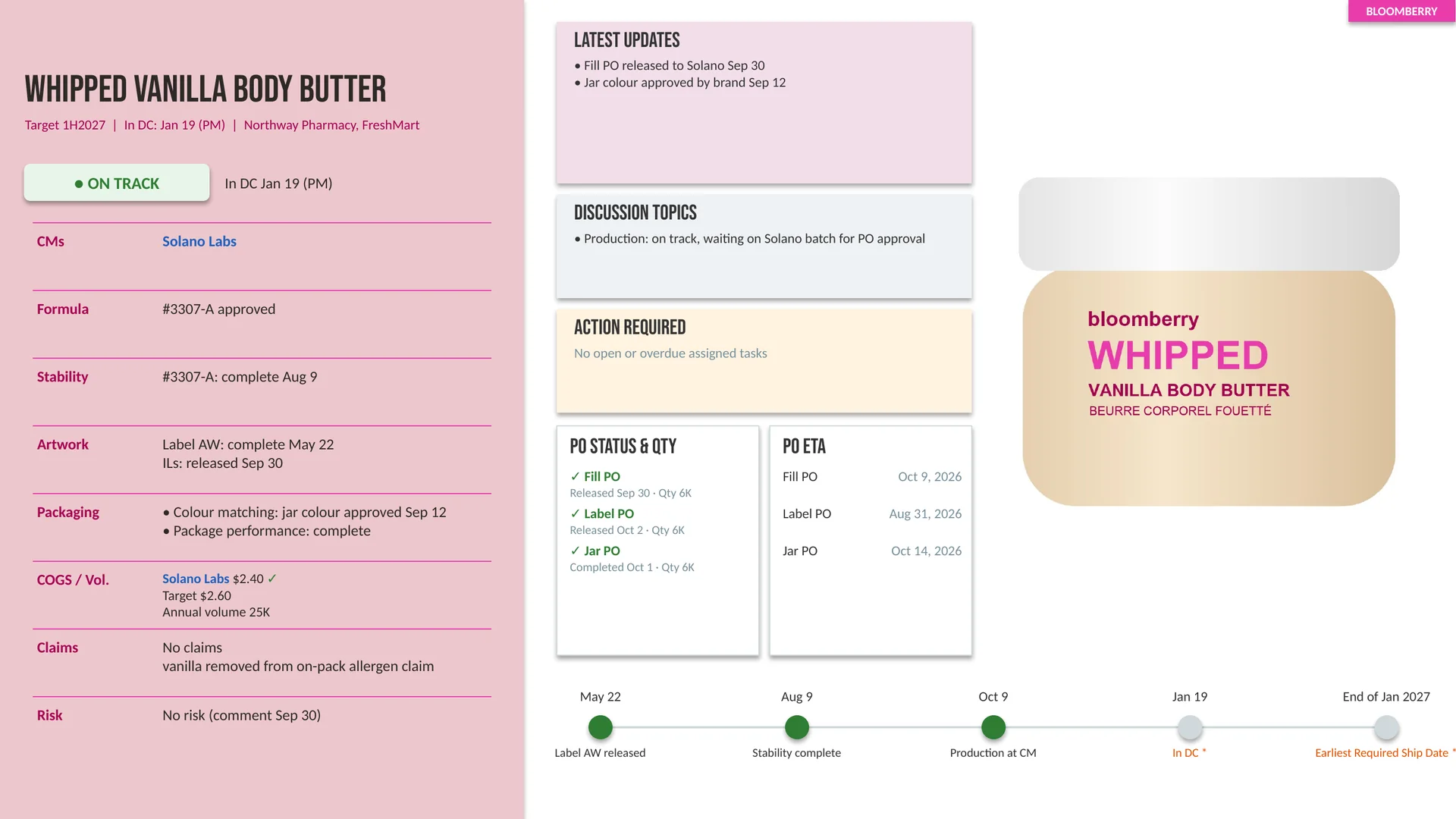
In production. On track. Purchase orders replace formula submissions, and the milestones run to the earliest required ship date.
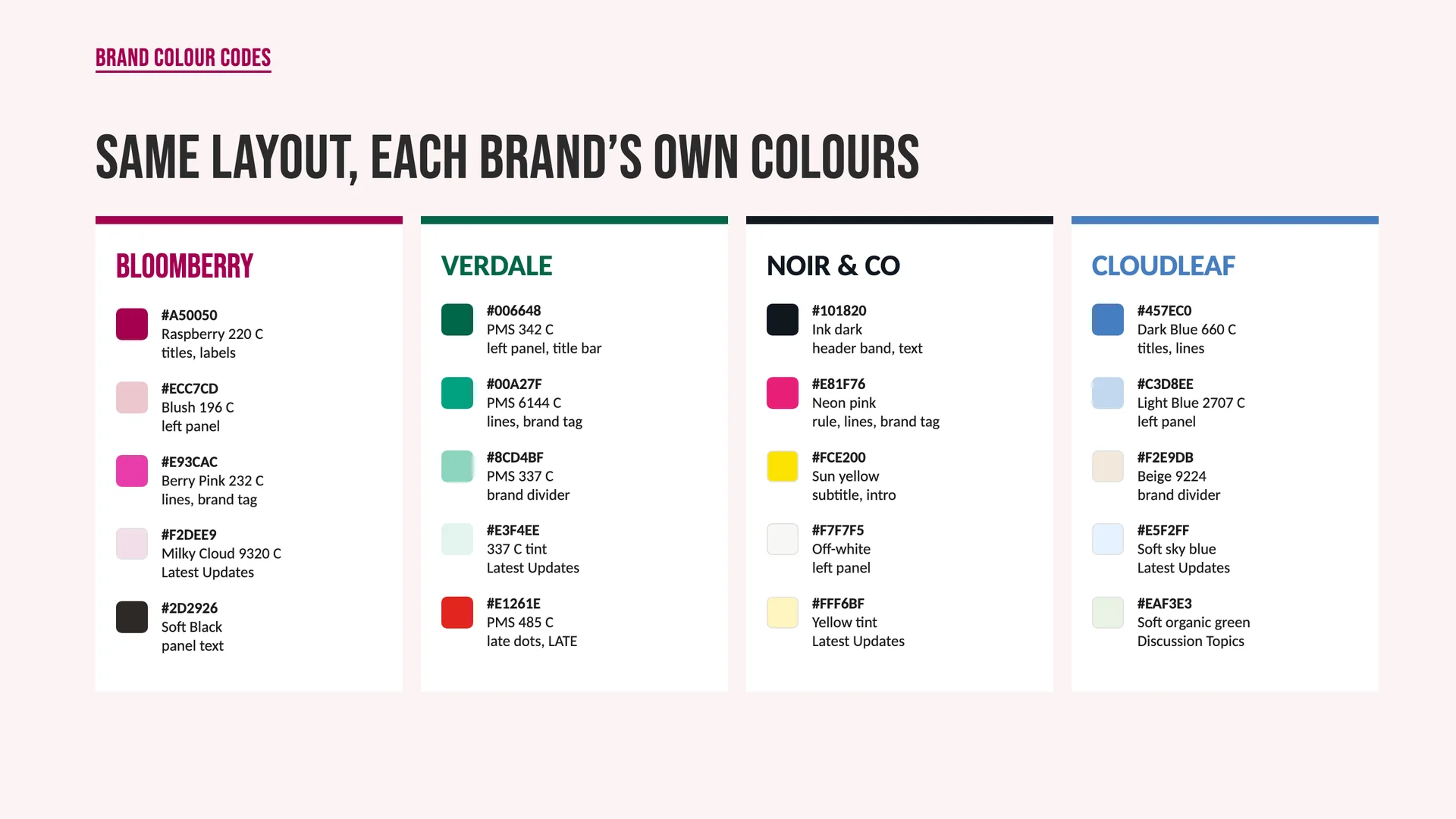
One layout for every slide, in the colours of the brand it reports on.
ICM, short for Interpretable Context Methodology, is an open method built for step by step work.
MarketingAI agents
The job was research: the latest updates on marketing campaigns, pulled from the web by semi autonomous agents.
 Semi autonomous agents, Hermes Agent among them
Search
Agents pull the latest campaign updates from the web, Hermes Agent among them.
Remember
Hermes Agent, open source from Nous Research, keeps a memory and refines its own skills.
Train
DevToDollars coached the team to train the agents, so results match what it looks for.
Demand planningPlain code
Not every automation needed AI. Where the forecasting models had been fed by hand, DevToDollars built pipelines in code instead, and introduced prediction models that forecast more accurately.
120+hours of manual work saved every month
Before
After
Code runs the same way every time and uses no tokens. Because DevToDollars writes software, it could pick the tool for each job on its merits, saving the company time and token costs.
About
1 in 5
companies say AI running costs, tokens included, limit how much they use AI
Source: McKinsey, The state of AI in 2026, August 2026.
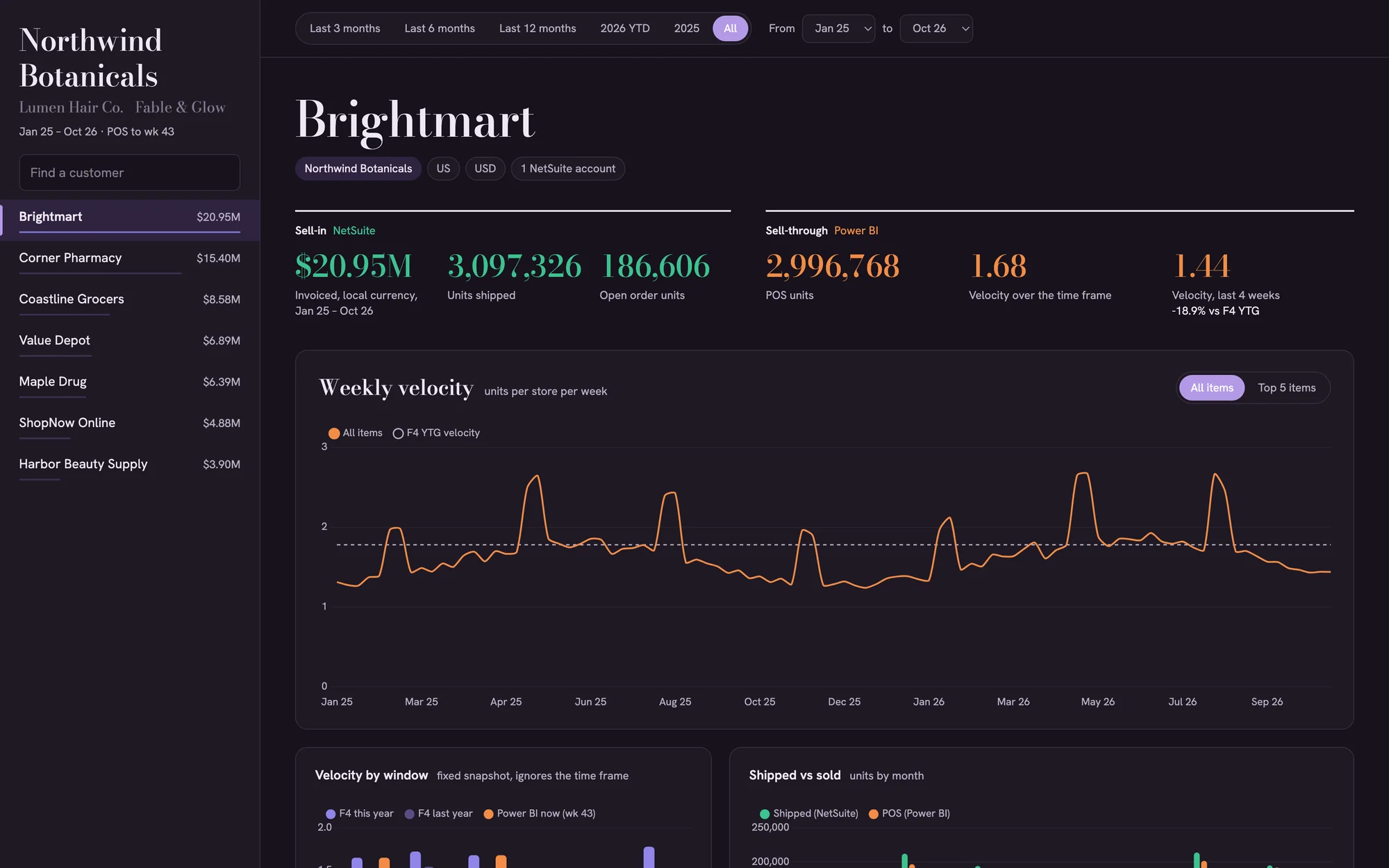
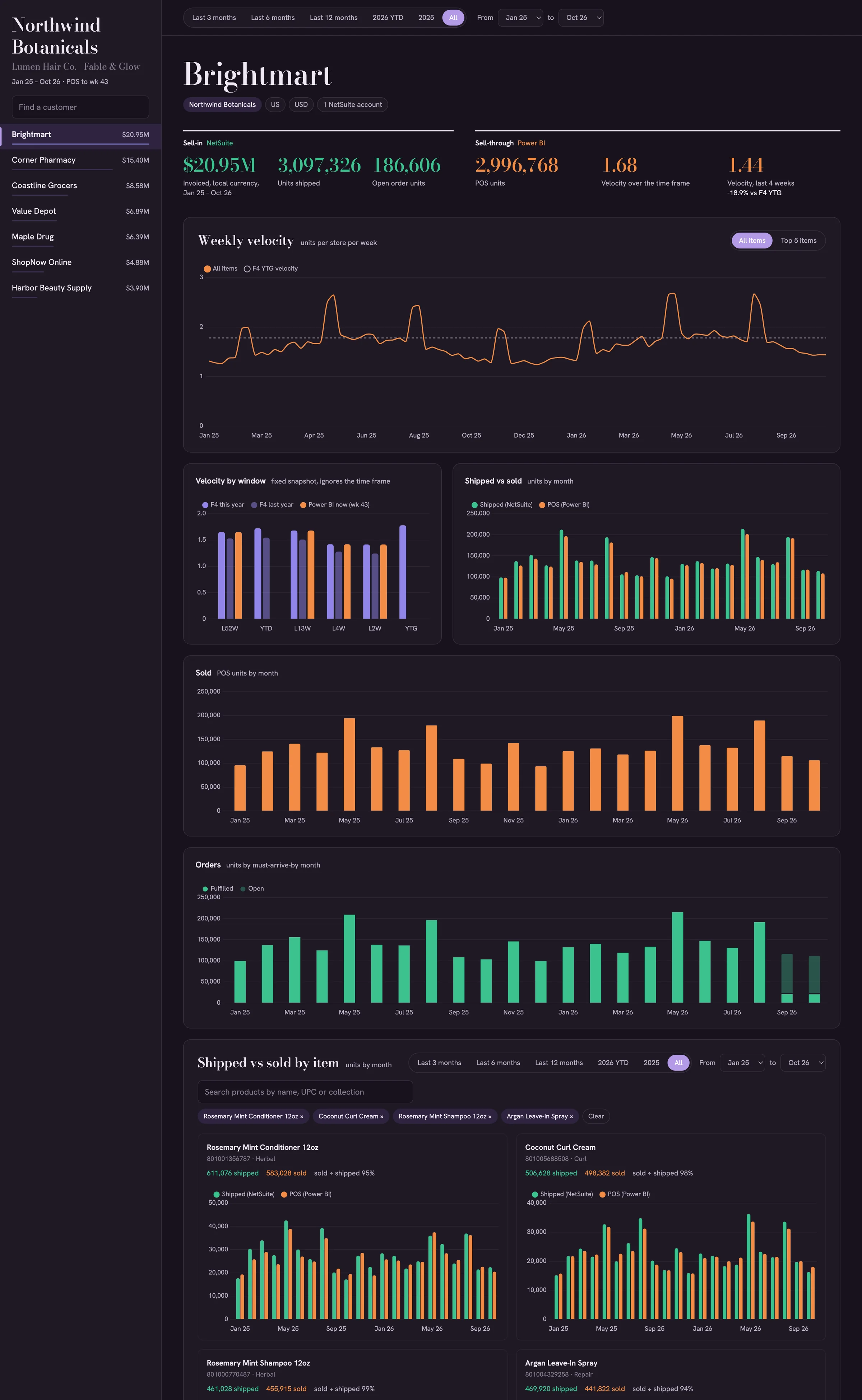
The team also built a custom dashboard that gives management a bird's eye view of demand planning: what shipped to each customer, from NetSuite, beside what it sold, from Power BI.
Click the dashboard to see it full size. Names are placeholders.
Security, data and governance
Leadership's first worry had been AI near the company's tools and data. Every employee was walked through where it can be trusted, and where it cannot.
DevToDollars mapped the access each department's AI should have to company software, then set it for every user.
Where an agent can change data in company systems, the person running it is responsible for those changes.
The company uses an AI provider's enterprise plan, so its data stays protected.
Keys to outside services are stored securely, with guards against outside attacks.
Of AI users at work
78%
bring their own AI tools, which the report says puts company data at risk
Source: Microsoft and LinkedIn, 2024 Work Trend Index, May 2024.
Photo: Taylor Vick on Unsplash

Where to start
If yours do too, the next step is mapping how each department works.
DevToDollars starts the way it started here: an assessment, department by department, before anything is built. Teams that write their own software can also get coaching on AI coding tools such as Claude Code and Cursor. In Toronto, the work can happen on site, alongside the people whose work is changing.
Get a free assessment of your business and an estimate of your project scope.